OBFC
One-Stop Business Facilitation CentreKingdom of Lesotho
Sole proprietors · a licence not on your dashboard

Your licence is not on your dashboard. Bring it back.

Your dashboard may not show a licence of yours, often one issued before this system. You bring it back online, with the number printed on your licence certificate.

This leaflet is for a licence that is not on your dashboard. A business has its own leaflet. Bring back a business →

Look for your licence

What you need: the number on your licence certificate, and a photograph of the certificate when an OBFC officer must check it.

1

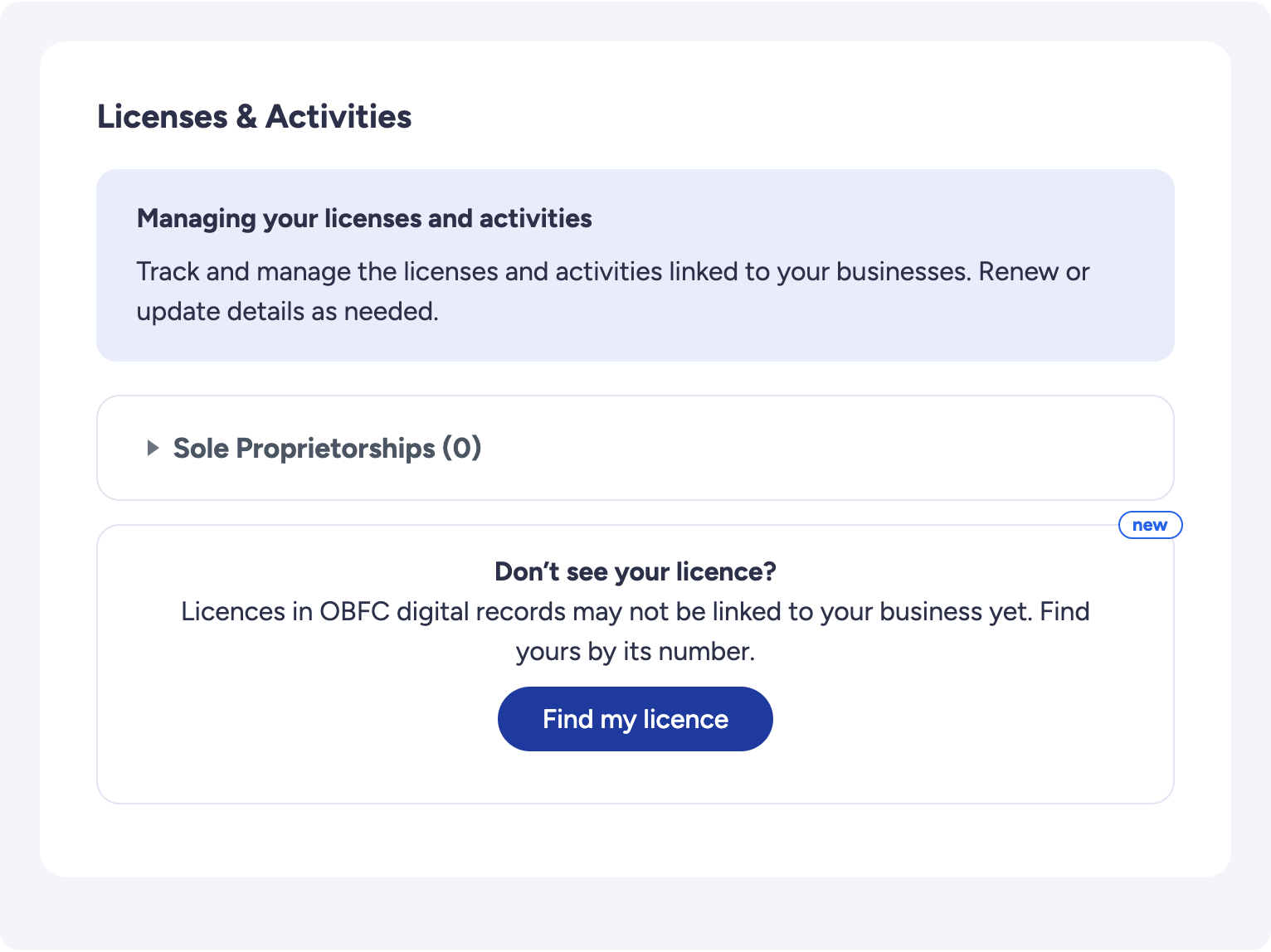
Under Licenses & Activities, press Find my licence.

Your dashboard, Licenses and Activities: Don't see your licence? with the Find my licence button
2

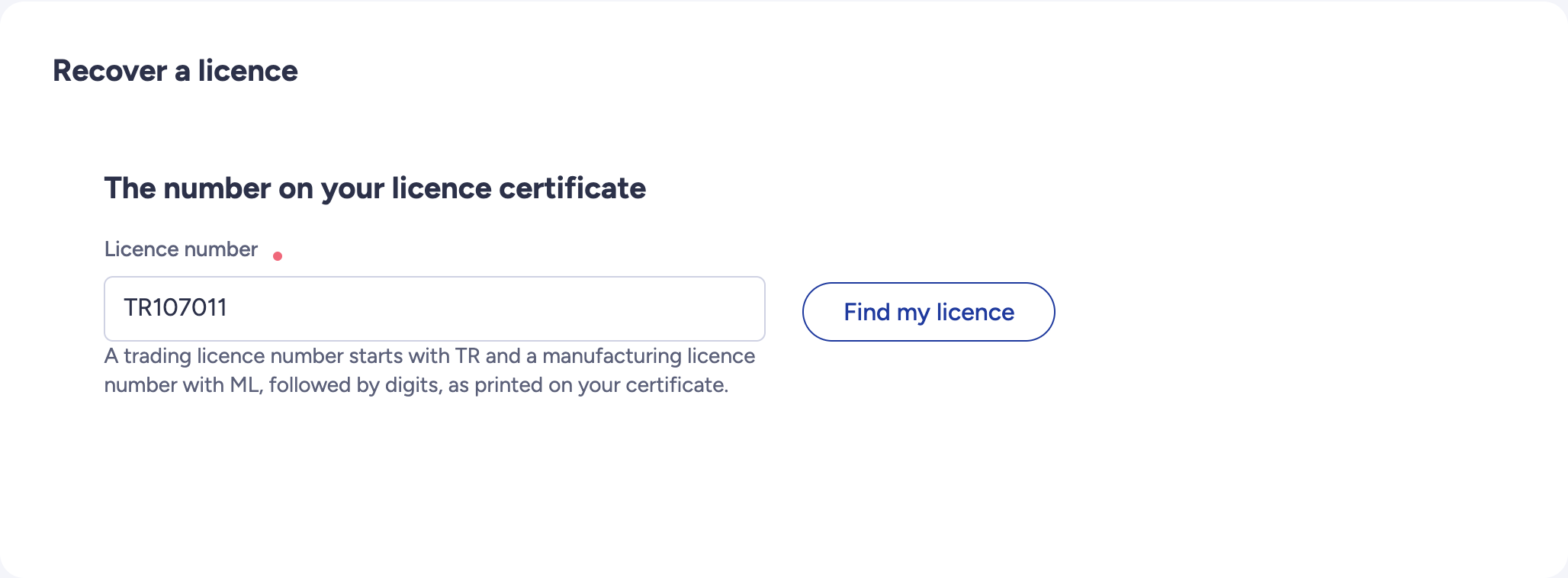
Type the licence number from your certificate, then press Find my licence.

The licence number field and the Find my licence button

Already have one licence listed and another is missing? Use Find it under the list.

What the screen tells you

The screen shows one of these. Find yours: each case continues from that screen up to Send my request.

01
Your licence

You see your licence on your dashboard, with a Claim button

What you need: Nothing: no number to type, nothing to attach.

1

Under Licenses & Activities, a licence found under your identity number is listed with Claim. Press it: the number is typed for you. Press Find my licence, then continue as in case 2.
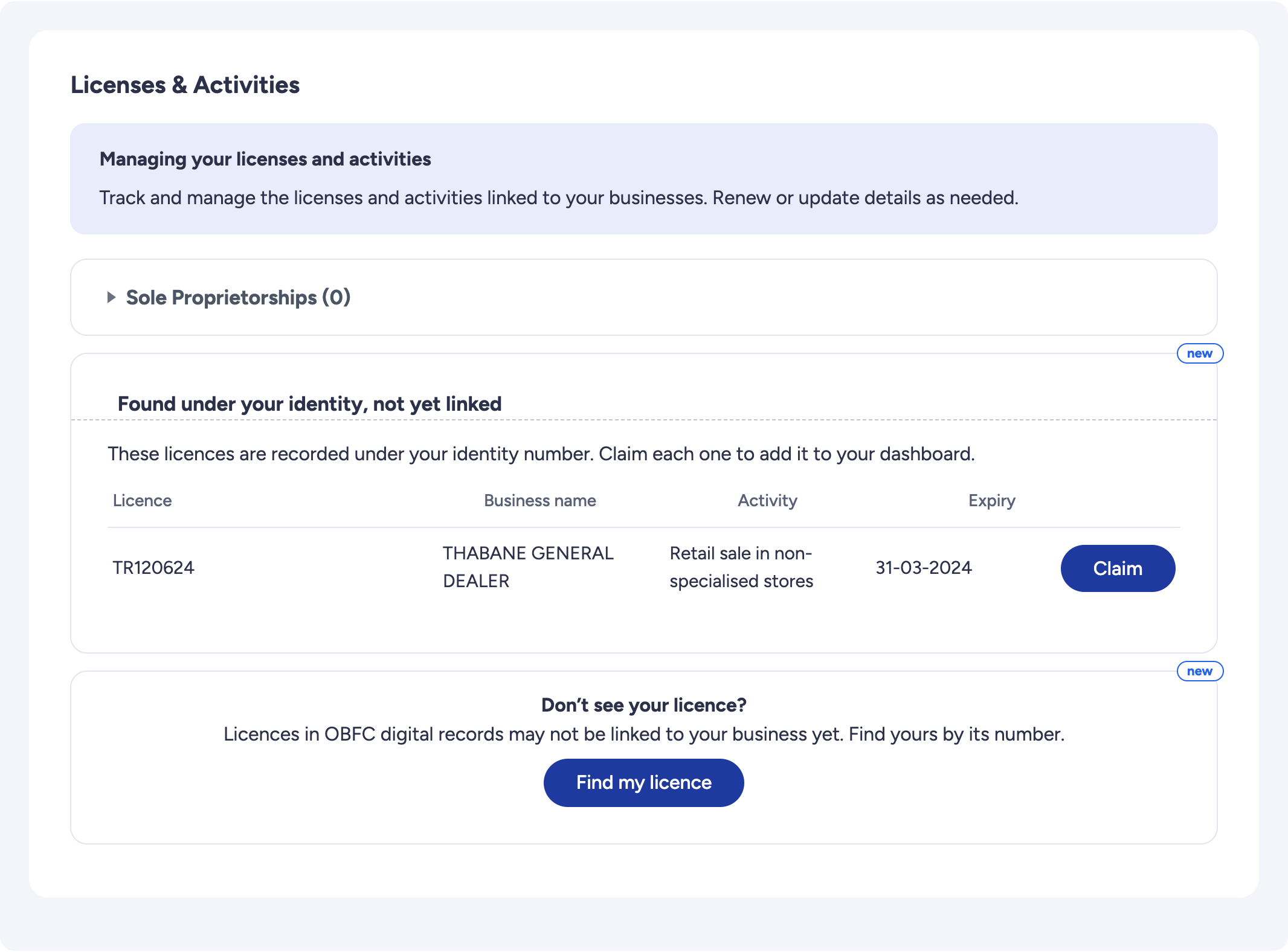
Found under your identity, not yet linked: a licence with its Claim button

Back to the list of cases

02
Your licence

OBFC finds your licence, and nothing needs checking

The licence names a business on your dashboard and carries your identity number or none, or it names no business and carries your identity number.

What you need: Nothing to attach.

1

The screen shows the licence as OBFC holds it. Check it is yours.
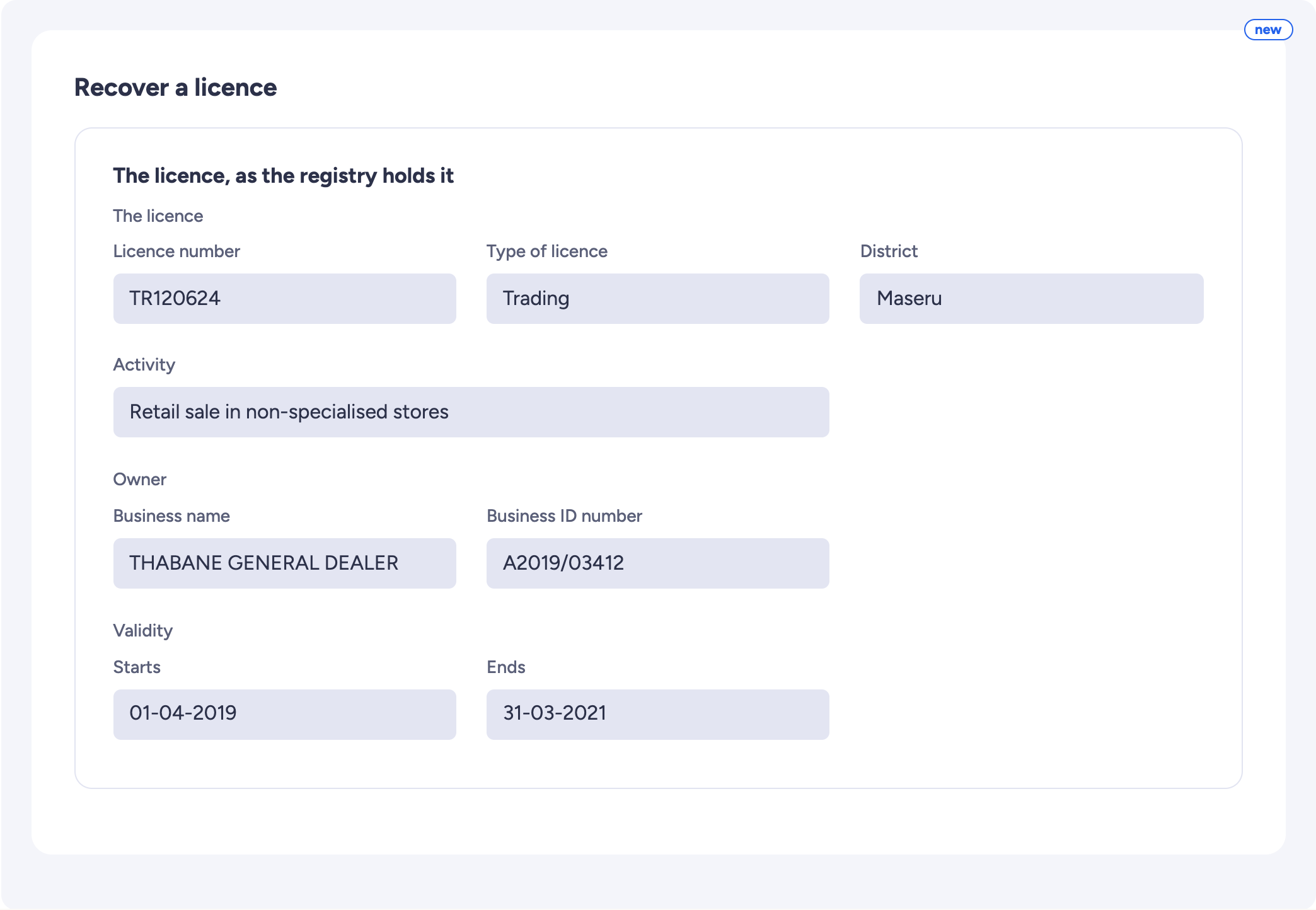
The licence as OBFC holds it: number, type, district, activity, owner, validity
2

If the licence names no business, choose the one that holds it with This one. Complete what the screen asks, then press Validate the form.
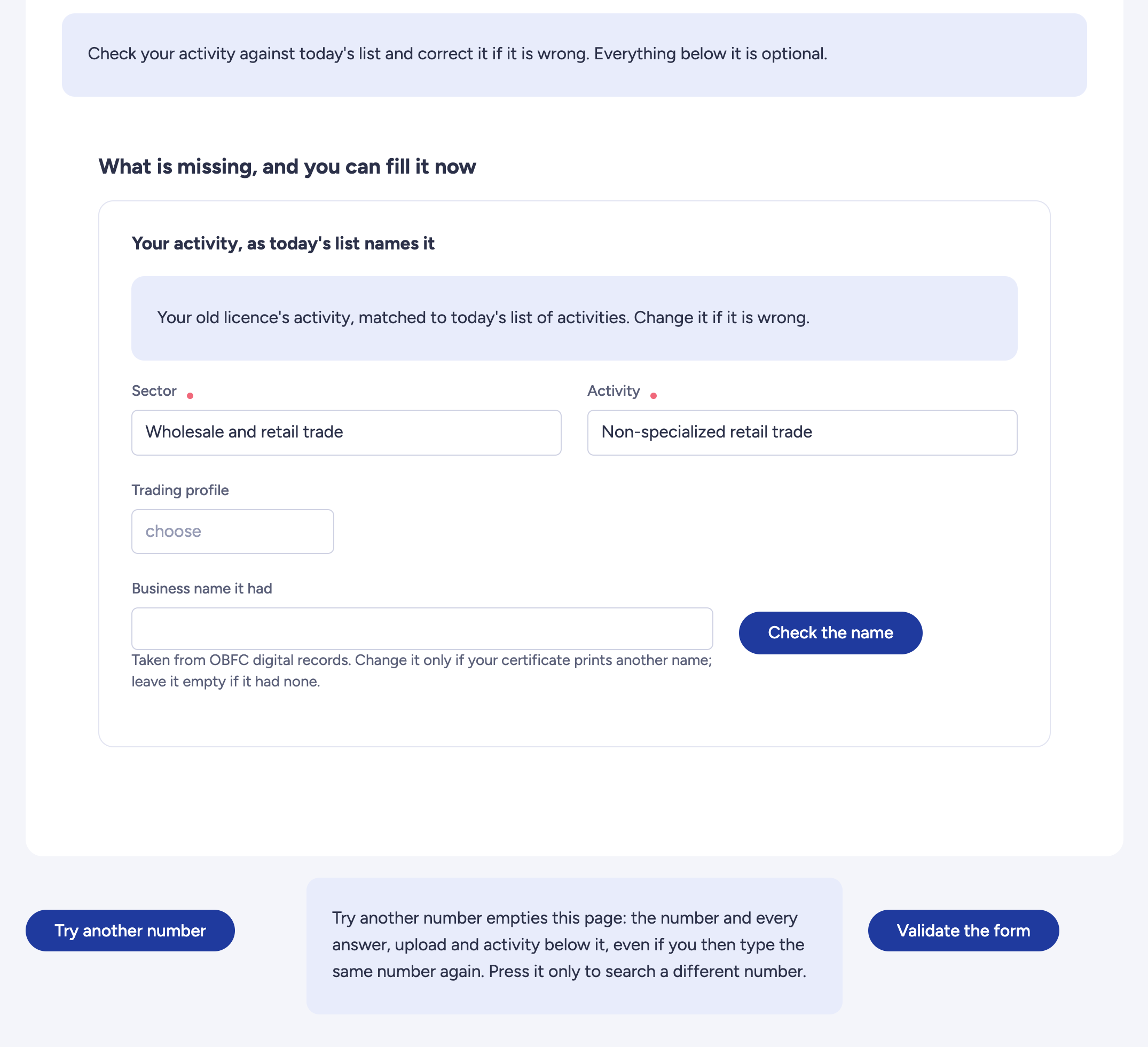
Check your activity, What is missing, and Validate the form
3

On the next page, press Send my request. The licence is added at once. If you changed its business name, an OBFC officer checks it first.

Back to the list of cases

03
Your licence

OBFC finds your licence, and an officer must check it

The licence names a business on your dashboard but carries another person's identity number, or it names no business and does not carry your identity number.

1

The screen shows the licence as OBFC holds it. Check it is yours. Screen shown in case 2, step 1.

2

If the licence names no business, choose the one that holds it with This one.
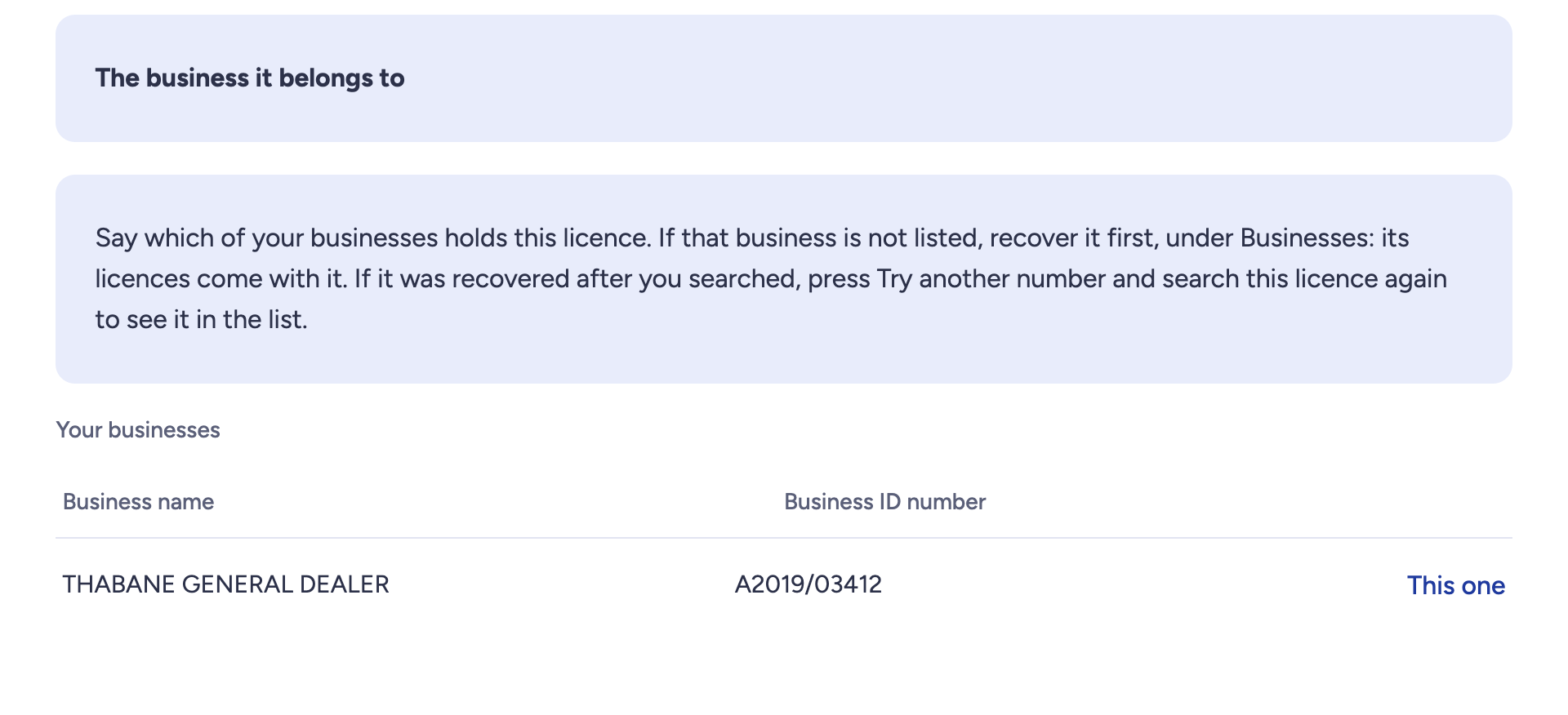
Your businesses, with This one on the row
3

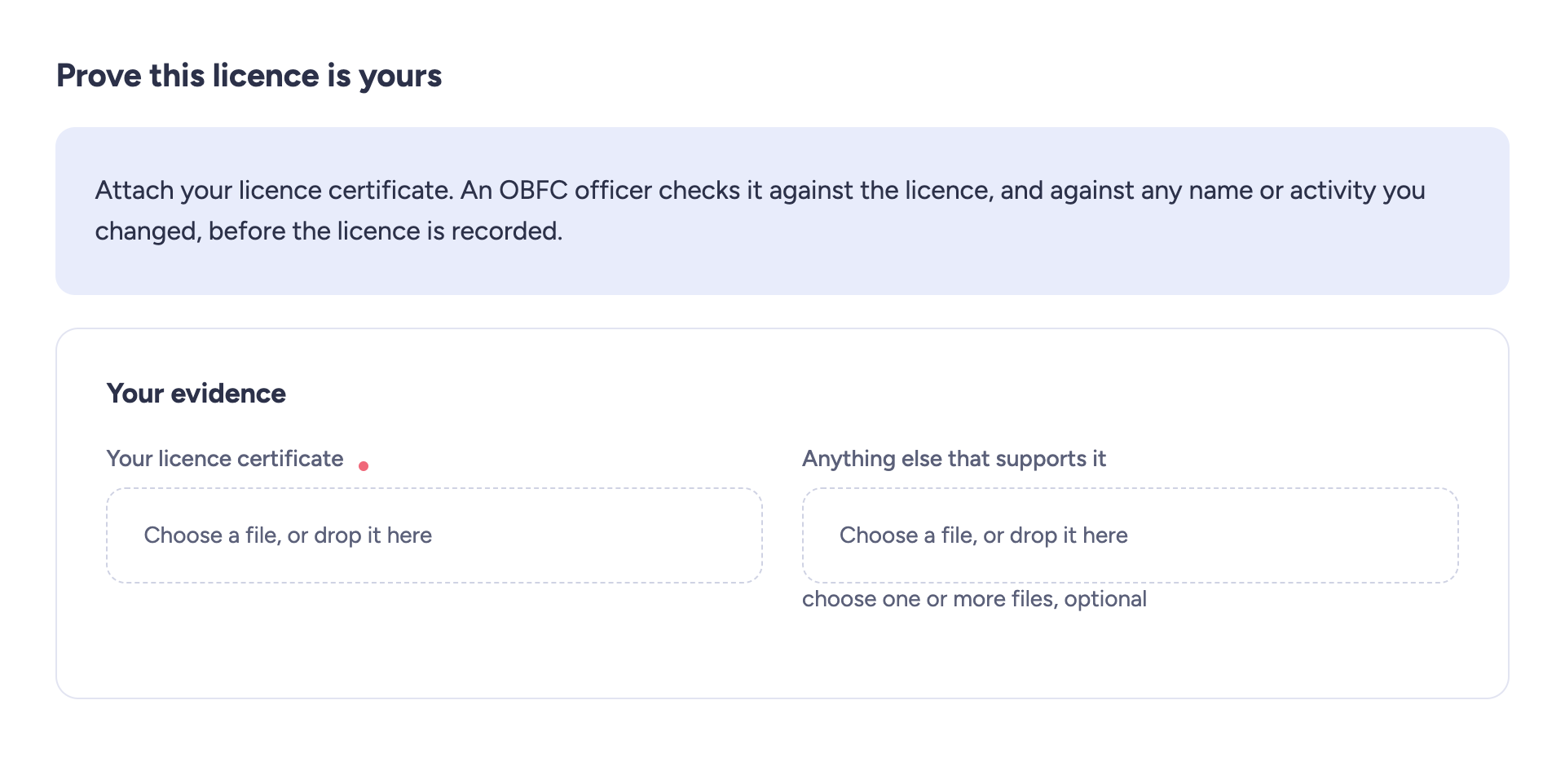
Attach the licence certificate.

Prove this licence is yours: Your licence certificate, required
4

Check its activity and change it if it is wrong. Screen shown in case 2, step 2.

5

If the licence names no business, tick the declaration. Press Validate the form.
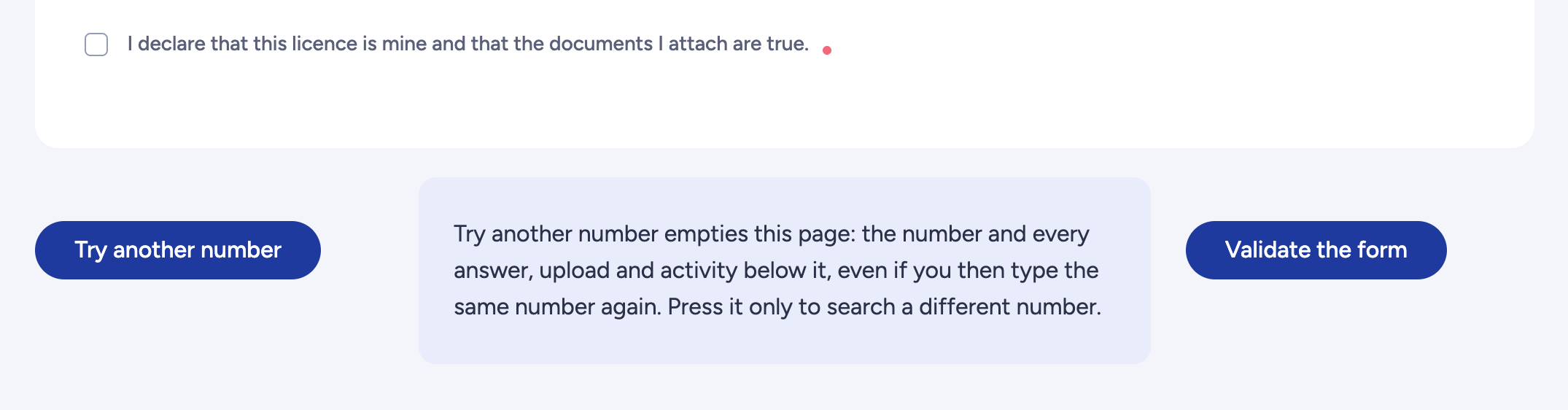
The declaration, Try another number and Validate the form
6

On the next page, press Send my request.

Back to the list of cases

04
Your licence

OBFC does not find your licence number

1

Check the number. If it is right, continue below.

No licence carries this exact number: check it, or tell us what you know
2

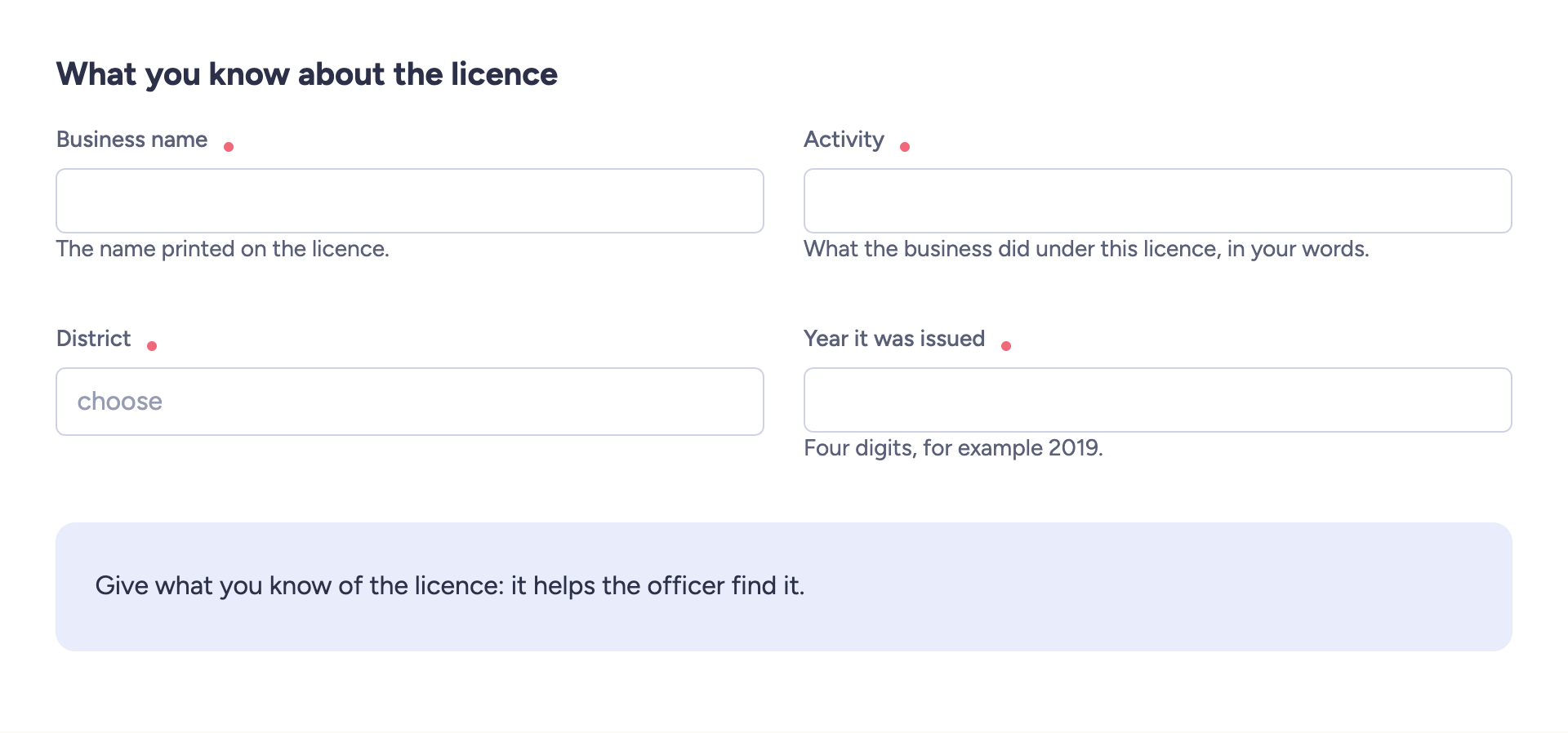
Answer every question.

What you know about the licence: business name, activity, district, year
3

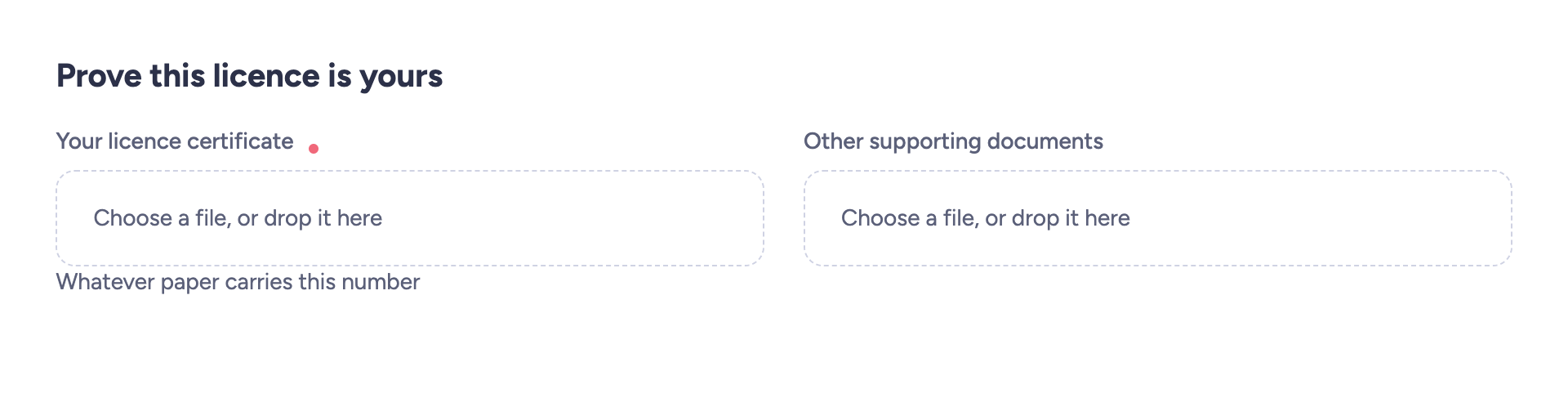
Attach the licence certificate.

Prove this licence is yours: Your licence certificate, required
4

Tick the declaration and press Validate the form. Screen shown in case 3, step 5.

5

On the next page, press Send my request.

Back to the list of cases

05
Your licence

OBFC cannot recover this licence online

1

The screen says why: a company's licence, or a licence already on a dashboard. An OBFC officer at the counter can help. Your request stays as a draft under My Applications, where you can delete it.

2

Recover the business first: its licences come with it.
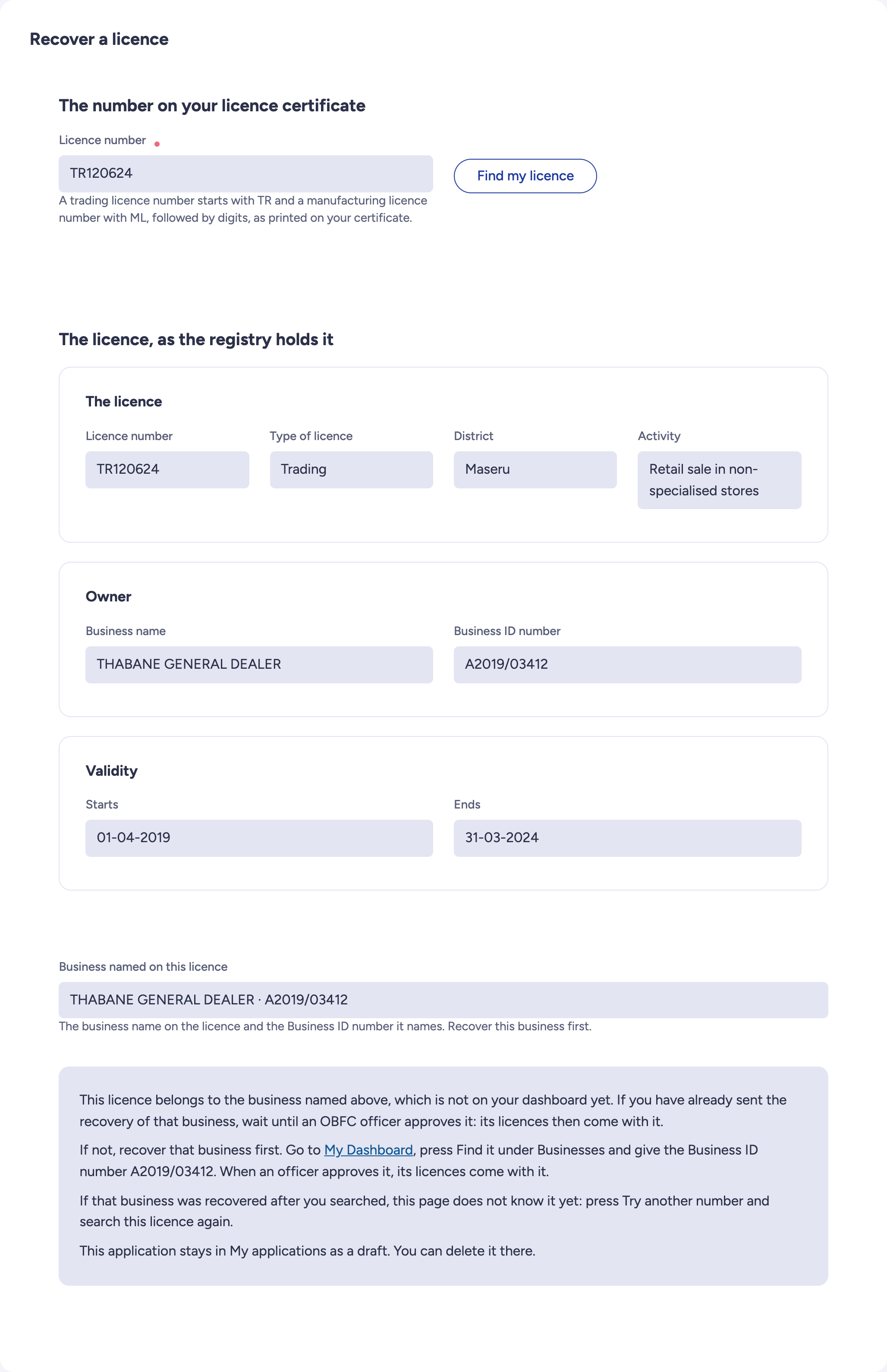
This licence belongs to a business that is not on your dashboard yet

Back to the list of cases

→
Every case

What happens next

You receive an email when your request is approved or refused. If OBFC asks for corrections, the request comes back to you under My Applications.

1
You receive a receipt by email when an OBFC officer must check your request.
2
OBFC confirms the licence is yours, asks you for corrections, or refuses with a reason.
3
It is on your dashboard, and you renew it like any other.
If it is refused Nothing changes on your dashboard, and the message carries the reason. With another document, an OBFC officer at the counter can help.
✓

Your licence comes back with the number you already have, and renews from your dashboard.